
Tenants

Tenant is the person who is renting a property from an owner that is managed by the client. From the section can be seen the list of tenants with the property they leased and their contact e-mails. Also, there is an ability to create new tenants, see existing tenant’s transactions and profile details.
Tenant’s Menubar

The menubar contains the functionality to show the list of tenants, search for a specific tenant, and chose active or inactive tenants.
Search field
The search field makes it easy to search a particular tenant. Search can be made by name of the tenant or property’s address.
Active tenants filter
This filter is made for sorting the tenants based on their status. The status of the tenants can be active or inactive. After the sorting is done the list of tenants with contact details is given.
Tenants Extract
Tenants Extract report allows you to get info about all tenants in the table format.
How to add tenants

The Add tenant button allows creation of a new tenant profile.
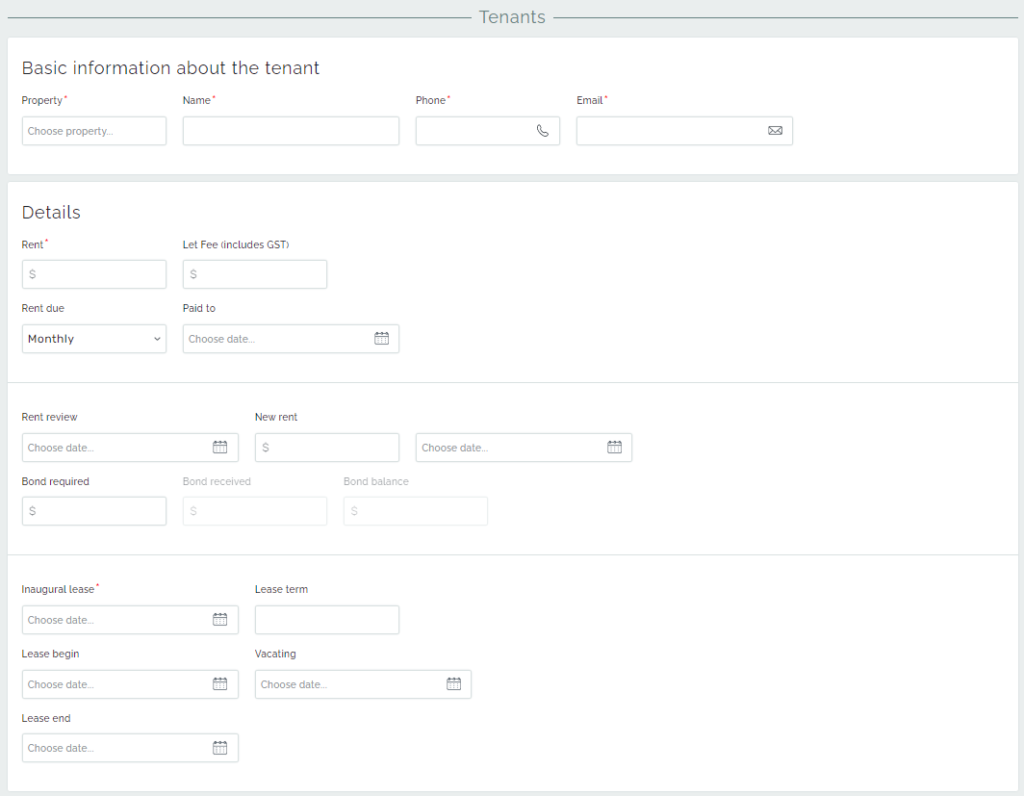
We see general information about the tenant, the lease period and details, and bond information.
The Basic information about the tenant section should be filled with the tenant’s contact details and the property that the tenant is leasing.
The section which is called Details is split into three parts:
The first part should be added with the information about the rent and fee amounts, rent payment period, and the date rent has been paid up to by the tenant.
The second part should display data about the changes in renting payments and bonds. There can be chosen the rent review date and determined the date from when the new rent amount is going to be applied. Moreover, there are displayed the bond transactions. Bond is referred to as a fixed-income security. The amount of bond is determined in the rental contract and this value establishes in the Bond required field. The Bond received field shows the total sum of all of the transactions to the Residential Tenancies Bond Authority(RTBA) through the whole period of activity of tenant. The Bond Balance shows the amount, which is going to be processed by the RTBA. To set this amount the receipt should be created. After the transaction occurred the Bond balance becomes zero and money stores at the RTBA.
The third part should be filled with the start and end dates of a leasing period, the date from when the property is vacant to be rented, the inaugural leasing date, and lease term. It can be noticed that the Inaugural leasing date is the first actual living date in the property. And in the Lease term field can be put an approximate period of rent by the tenant.
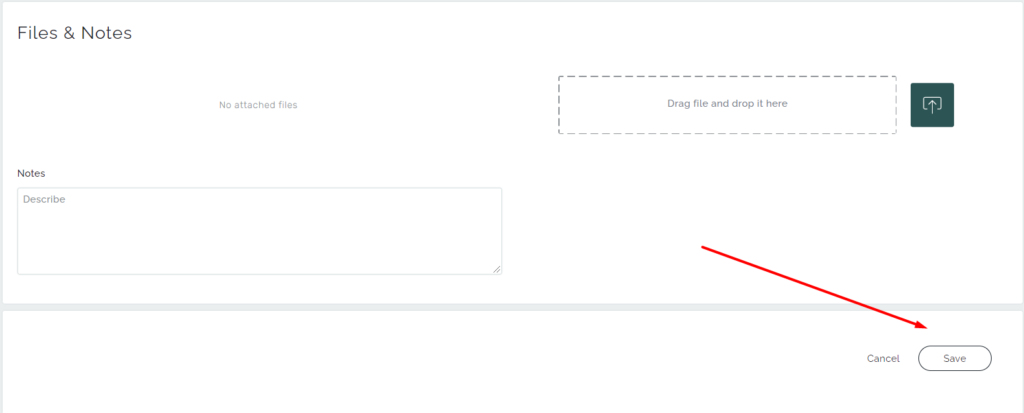
In addition, important files can be attached to the profile and some notes about the Tenant as well. It is needed to pay attention to that the creation of the profile ends with the clicking on the Save button.
- The goods and services tax (GST) is an indirect federal sales tax that is applied to the cost of certain goods and services.
Extended information about the tenant

Additional detailed information about the tenant and its history of transactions are in buttons on the right side after the e-mail field. As can be seen from the picture, the green coloured button presents the Transaction section, while the red coloured button indicates the tenant’s Information section.
Tenant’s transactions section
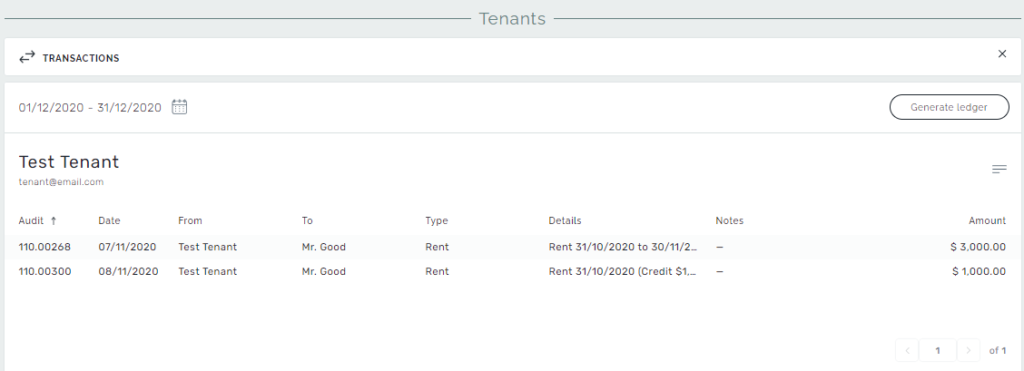
This section allows seeing the tenant’s transactions according to a data range. Periods of transactions are counting monthly. Moreover, there is an ability to create the ledger and sent it via e-mail.
Tenant’s details
The tenant details page shows contact information about the tenant and rental details. Also, there is a button on the top right corner to navigate to the tenant’s transactions page.
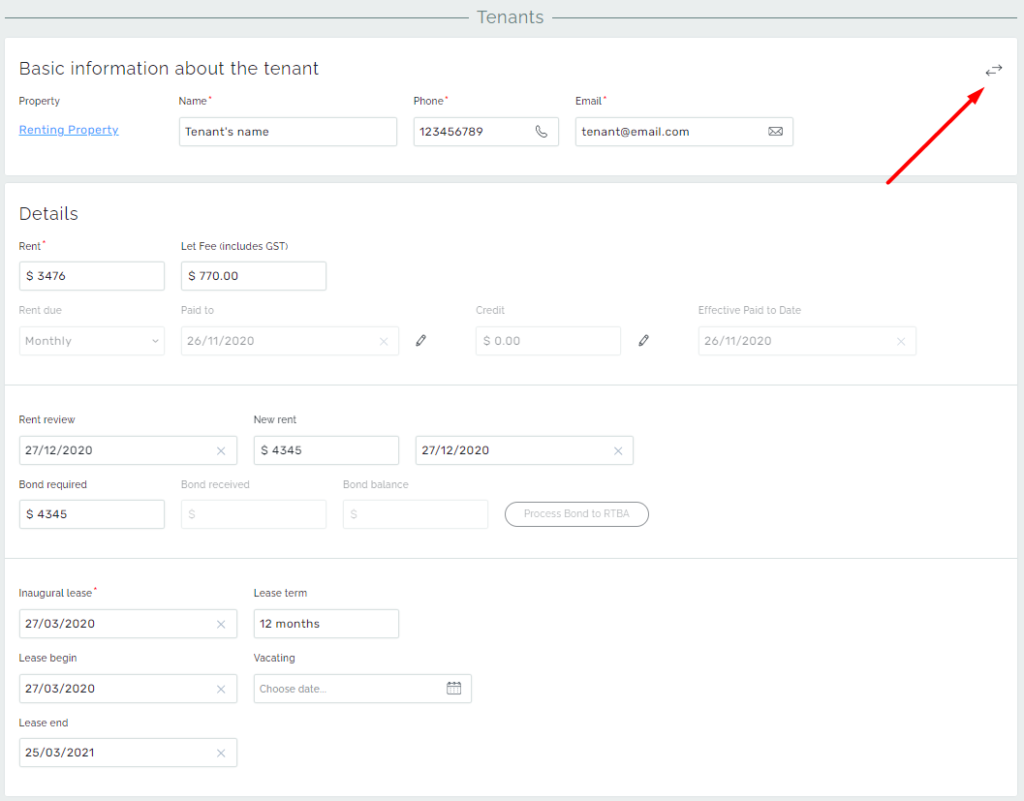
On the Tenant’s Profile page you can find two new fields, that were not mentioned during the creation of the Tenant’s profile. These fields are: Credits and Effective Paid to Date. They are generated after the Tenant is added to the system.
Credits – the residue Rent payment that is less than the required amount to increment the rent cycle.
For example, the Tenant’s monthly rent payment is $3476. If the Tenant pays $4000 it will cover one full month of his payment and $524 will stay as a Credit amount for the future payment. The next Rent payment will be added to this Credit amount.
Effective Paid to Date – the date that shifts Paid to date to the number of days that are covered by Credit amount.
For example, the Tenant has a Credit amount of $524 and his Paid to date is 26/11/2020. We will be calculating Effective Paid to Date this way:
- Monthly Daily Rate = Rent/ (365/12) = 3476 / (365/12) = 114
Fortnightly Daily Rate = Rent / 14
Weekly Daily Rate = Rent / 7 - Days for addition to the Paid to Date = Credit / Daily Rate = 524 / 114 = 4 (days)
- Effective Paid to Date = Paid to Date + Additional days = 26/11/2020 + 4 days = 30/11/2020
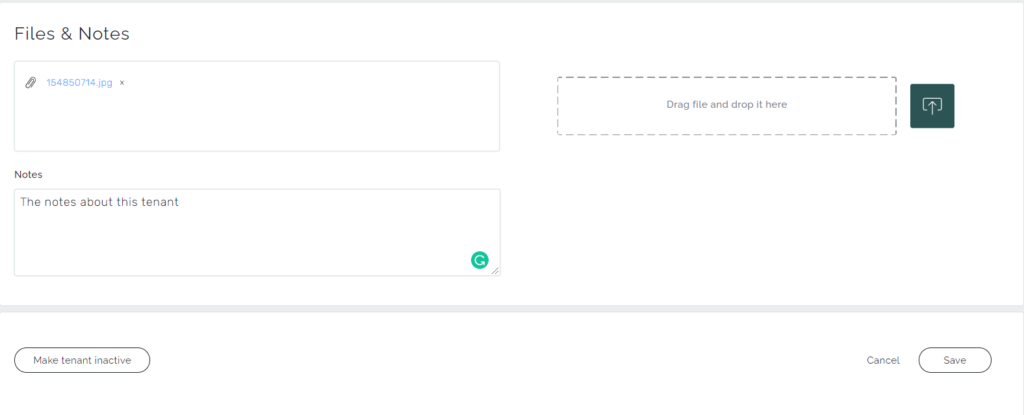
Additionally, any files and notes related to the tenant and the lease details can be added to the profile. And from the bottom, the tenant can be made active/inactive.