Sale Settlement Process
The Sale Settlement Process is the finalization of a sale. Here, the user can process all the transactions related to the sale property and make final settlement including transactions and reports creation.
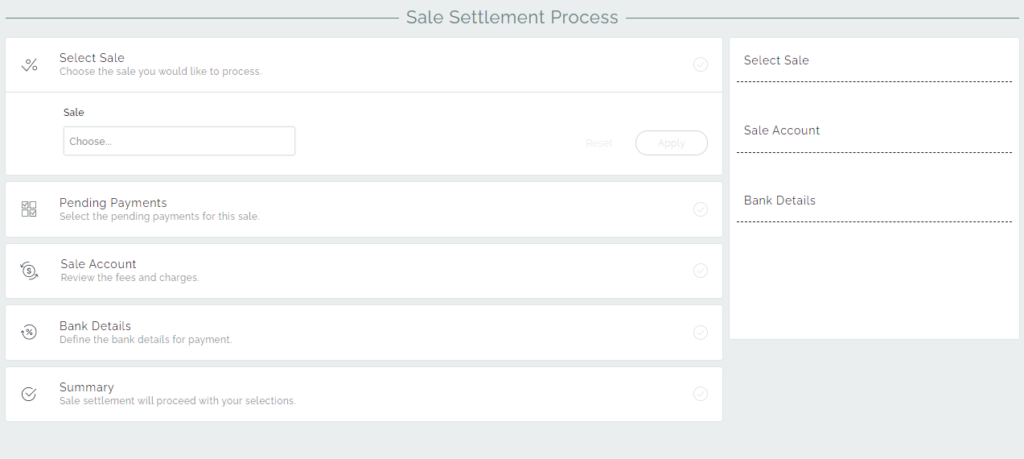
Sale Settlement Process consists of sections that provide the user with accurate data about the sale disbursement.
Select Sale – Allows selecting the sale property for the settlement.
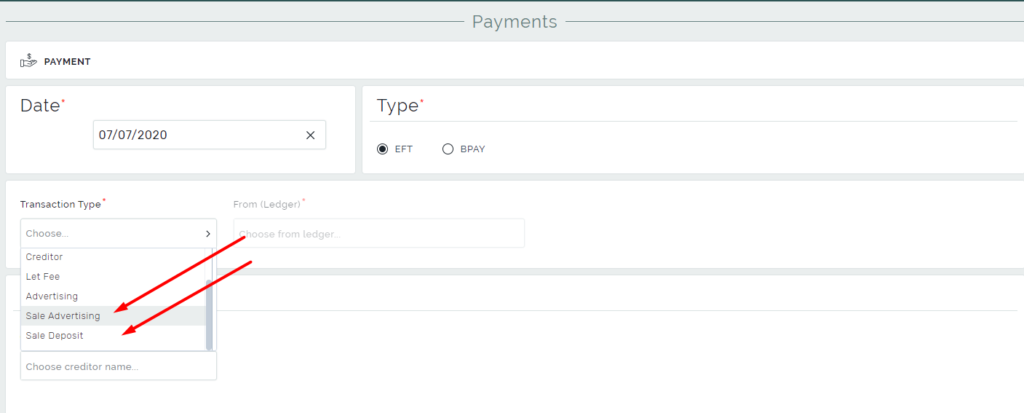
Pending Payments – Shows payments that were created by the Add Payment page with type as Sale Advertising or Sale Deposit.
Sale Account section – Shows the money distribution according to the sale details.
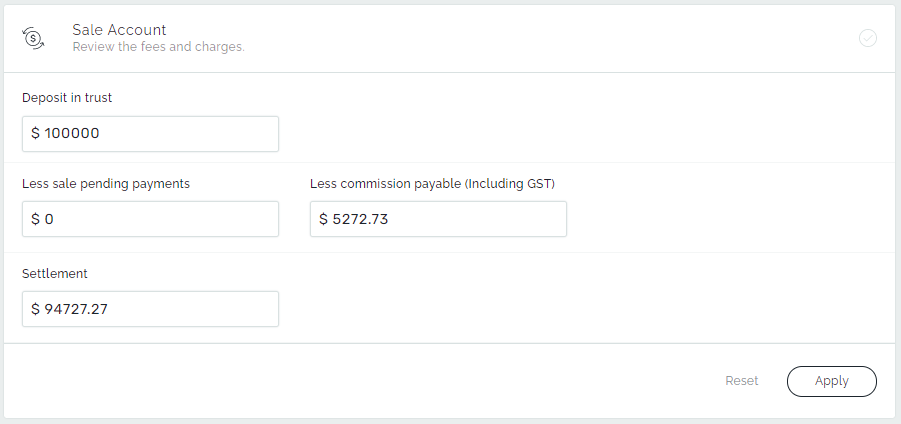
Deposit in trust – This shows the sale deposit receipts entered into our system. It is the representation of the field Deposit Received in the Sale details page.
Less sale pending payments – Shows the sum of the selected Pending Payments in the Pending Payments section.
Less commission payable (Including GST) – Shows the sale commission of the real estate agency. It is the representation of the field Commission in the Sale details page.
Settlement – Shows the final sum that will be disbursed to the seller.
Bank Details section – Here the user defines the bank account details of the Seller, or the Solicitor based on the sale contract.
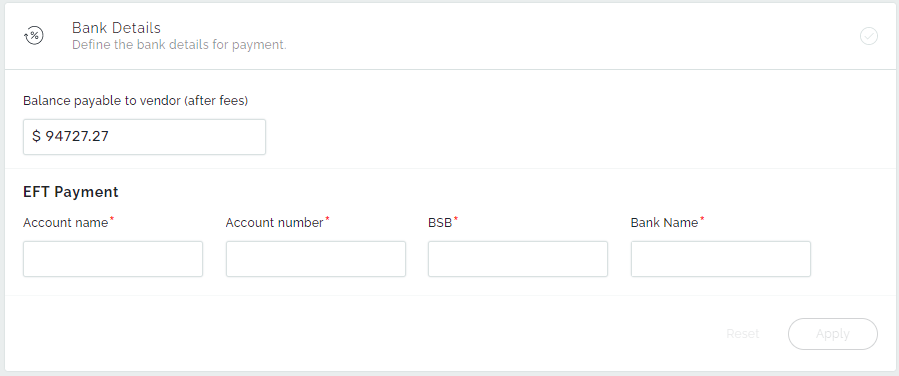
The summary allows the user to review the entered data. The full information about the sale settlement is displayed in the Right panel. To finalize the settlement, click Finish.
Money flow in Sales
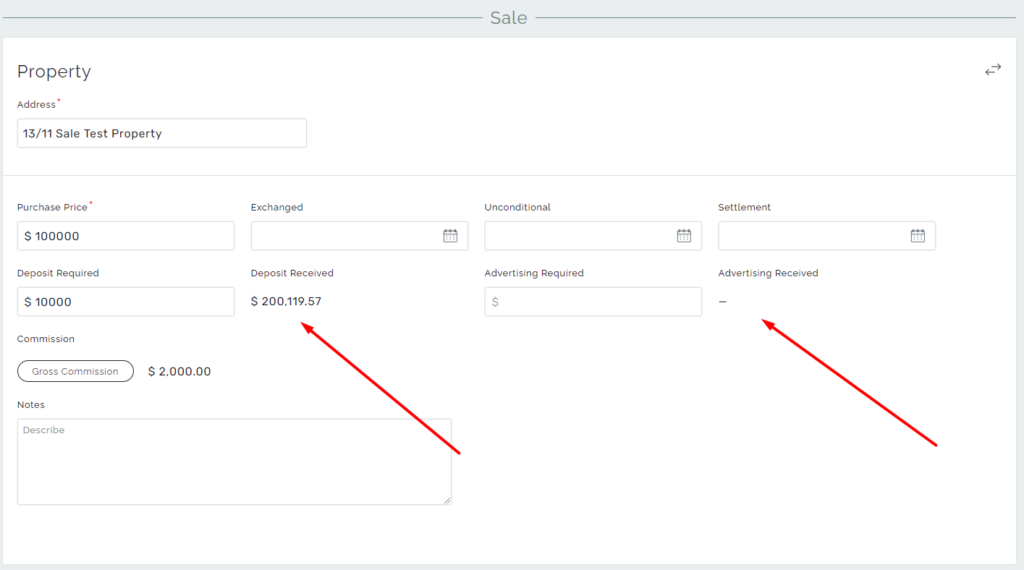
To fulfill the balance of the Sale, firstly you need to create receipts via Add Receipt.
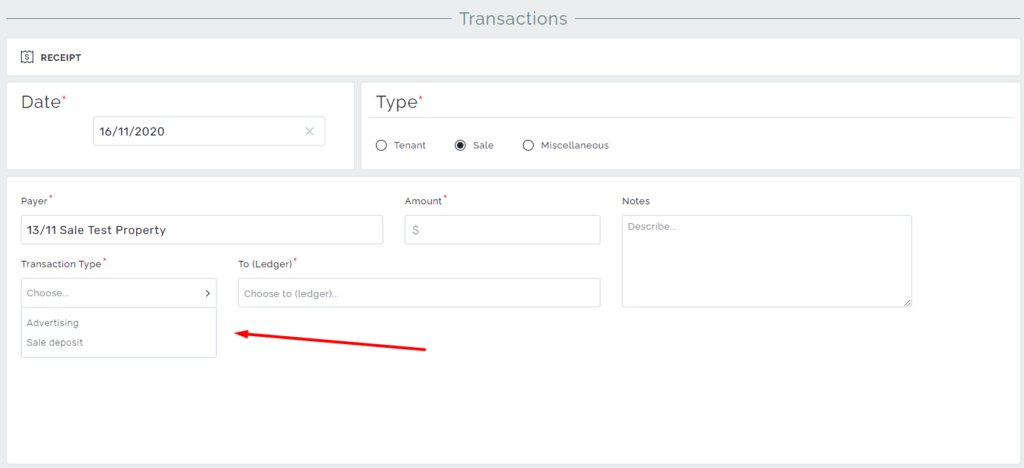
The receipts created as Sale Advertising will be counted as the Advertising Received, and the Sale deposit amount will go to the Deposit Received in the Sale details page.
Pay attention: The final settlement and all created payments will be paid from the Deposit Received amount.