
Creditors

The Creditors section presents the list of entities that clients pay bills to on behalf of the landlords.
Creditors’ Menubar

The menubar is helps the user to easily search and find creditors, filter them, and print the result.
Search field
The search field can help with easily finding the information and contact details of a specific creditor. It searches based on creditor name
Active creditors filter
This button helps with filtering the list of creditors based on their status. The status can be active or inactive.
Creditors Extract
Creditors Extract report is needed to show all information about Creditors in the table format.
How to add creditors

To add a new creditor the Add creditor button must be clicked on. This button is located on the top right side corner.
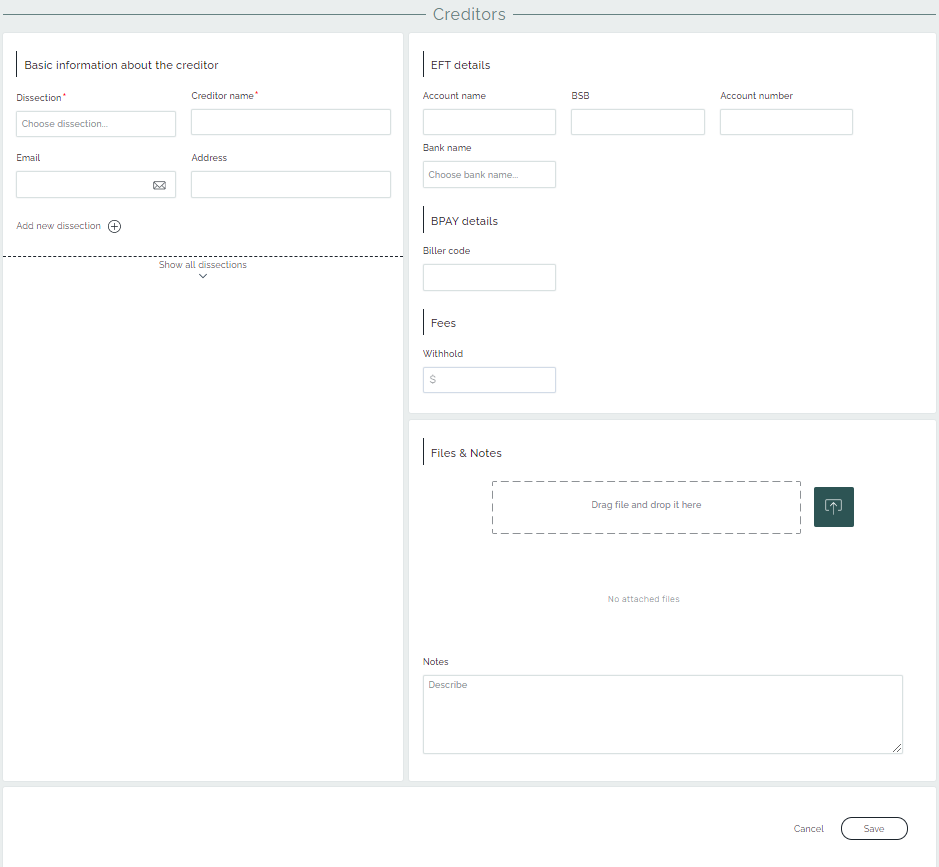
The creditor’s details page is composed of basic information and payment details.
In the creditor’s details, besides the creditor’s name, the dissection type must be selected. This can be done in two ways: one – by choosing the category from the predefined list of dissections, or by creating a new type of dissection.
The Creditor’s payment details part must be added with the details of an Electronic funds transfer (EFT) or electronic bill payment system in Australia(BPAY) methods of payment.
Dissections
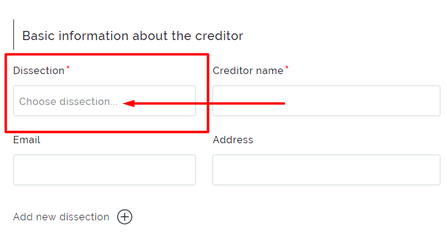
To choose the creditor’s dissection, it is needed to click on the related field. As a result, the dropdown list will show the available dissections.
Creation of a dissection

To create a new dissection, the user needs to click on Add new dissection button.
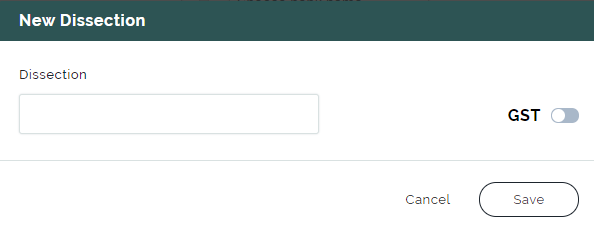
Then, the user can see what information to fill, dissection name and GST selection to decide if GST will be included or not.
Editing dissections
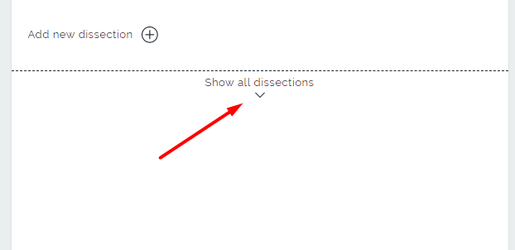
In case of editing an existing dissection, user will click on Show all dissections button.
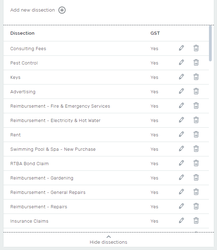
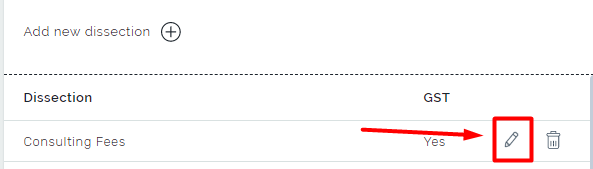
Also, there is the option to delete an existing dissection or make changes. Click on the Pencil button for editing.
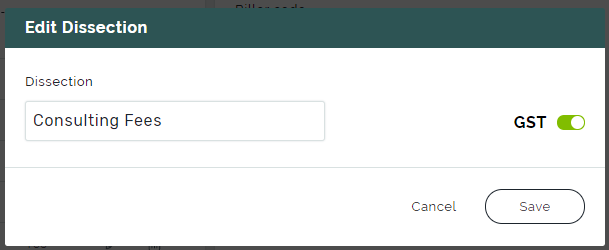
There is a window that shows the dissection editing. Save button will store the changes.
Extended information about creditors
Extended information about the creditor’s transactions and details can be found on the top right side.

Creditors’ transactions section
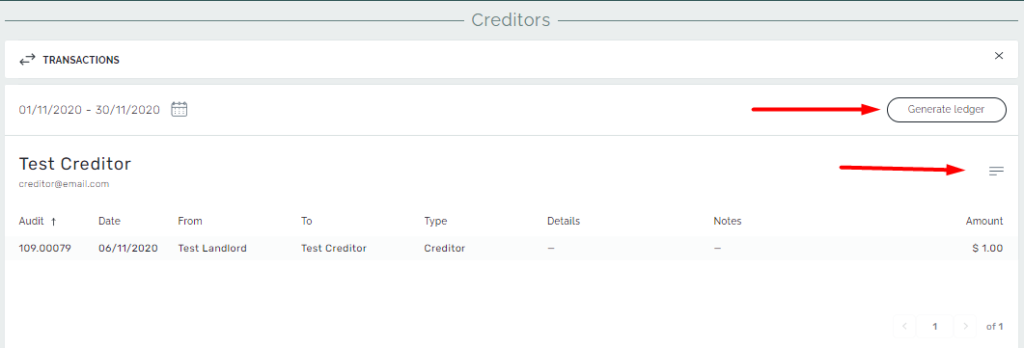
The Transactions section demonstrates creditor’s transactions that occurred during the selected month. Also, there is an option to generate ledgers or navigate to the creditor’s details page from here.
Creditors’ details
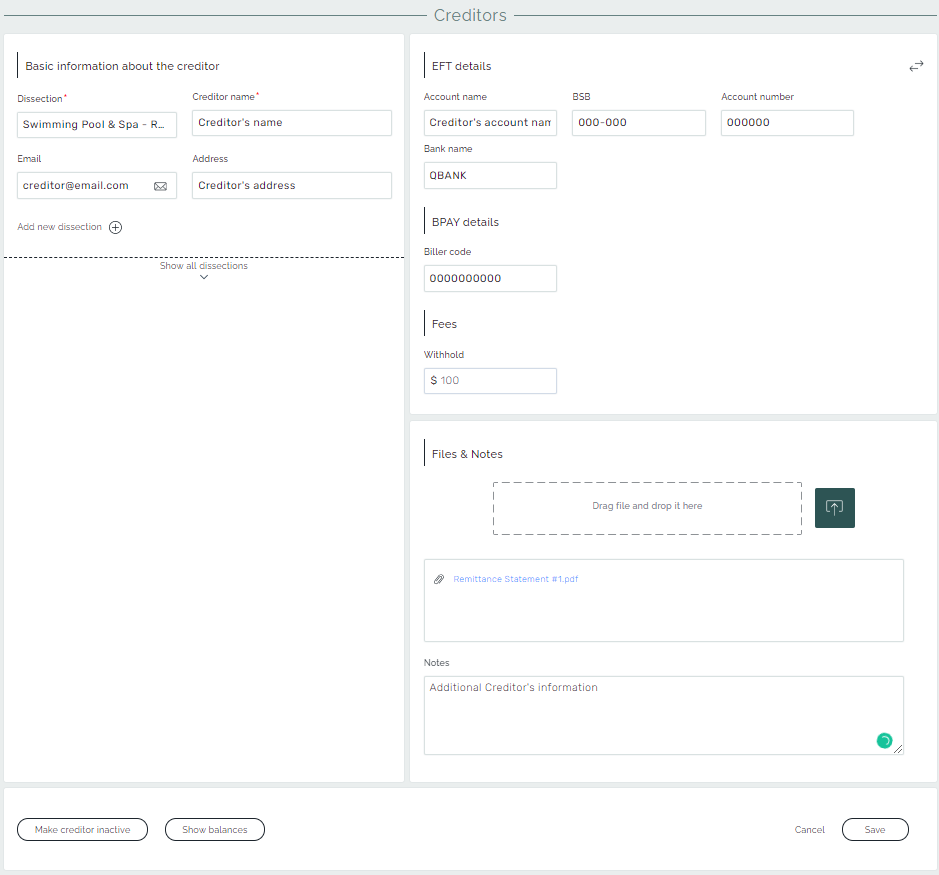
The creditor’s details page consists of information about the creditor, its dissection, and payment details. User can also upload files related to this creditor from here by drag-drop or by browsing file system and add notes with the additional info about the Creditor.
At the bottom, there is an option to make the creditor’s account inactive. Also, there is an ability to see Creditor’s balance from the audit months. To apply the changes the Save button should be clicked.