Transactions
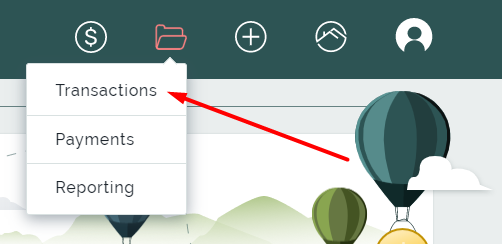
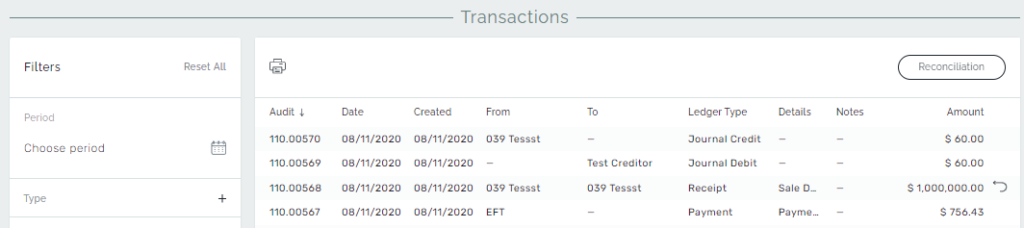
In the Transactions page, a list of all the transactions that are generated in our system are located. You can sort them by period, put filters to select some of the transactions, and finally print the result.
Additionally, you can switch to the Reconciliation page from this page to see the current situation of our Trust account balance.
Filtering in Transactions
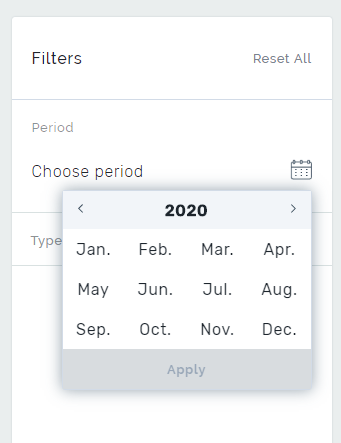
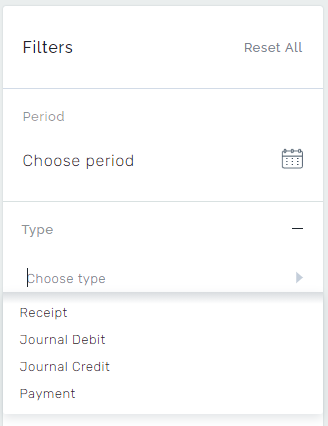
Transactions can be filtered for a specific month and type. There you can choose a period of transaction statement and sort data according to the type as Payment, Receipt, Journal Debit and Credit, and Reverse Receipt.
Payment – Shows the final disbursement transactions that represent the money leaving our Trust account.
Receipt – Shows all the receipts that are made via Add Receipts.
Journal Debit – Shows the internal money movements between ledgers inside our Trust Account. Journal Debit shows the part of the money leaving a ledger. Processed pending payments are also represented as Journals.
Journal Credit – Shows the internal money movements between ledgers inside our Trust Account. Journal Credit shows the part of the money entering a ledger. Every Journal Credit transaction has to be matching a Journal Debit transaction. So, journal transactions do not affect the total balance of our Trust account.